Menu
Your Cart
IMPORTANT UPDATE
Attention Best Streams IPTV Customers
Portal URL Updated: Log in to your SharkTV customer panel to find your new Portal URL.
All IPTV Customers: We recommend TiviMate or XC IPTV Player instead of IPTV Smarters Pro, as some users have reported buffering with movies and TV shows.
Click Here for More Details →

IPTV Canada / Best Canadian IPTV Subscription 2026

SharkTV Canada IPTV subscriptions and streaming entertainment on compatible devices
IPTV SUBSCRIPTIONS CANADA
Explore IPTV
Packages in Canada
SHOP FOR IPTV
CANADIAN IPTV PACKAGES & STREAMING SERVICES - HD, UHD & 4K CHANNELS

IPTV Canada 2026 – Best Canadian IPTV Subscription Plans

Looking for the best IPTV subscription in Canada? SharkTV.ca helps Canadian customers explore affordable IPTV packages featuring Canadian and international live TV channels, sports, movies, and TV series. Discover IPTV services offering 39,000+ live channels, 25,000+ movies, HD, UHD and 4K streaming options, and fast activation. Compare Canadian IPTV plans starting at $15 CAD, including Stalker Portal, Xtream Codes, and supported M3U options, to find the right subscription for your streaming devices and entertainment preferences.

39,000+ Live Channels 25,000+ Movies HD, UHD & 4K Streaming IPTV Plans From $15 CAD

IPTV Buying Guide !

Choosing the best IPTV subscription in Canada starts with comparing Canadian live TV channels, sports, movies, streaming quality, device compatibility and pricing. At SharkTV, explore IPTV packages offering 39,000+ live channels, 25,000+ movies, HD, UHD and 4K streaming options, with Canadian IPTV plans starting at $15 CAD. Features and content availability vary by server.

How to Choose the Best IPTV Subscription in Canada

  1. Compare IPTV channels and packages. Explore available IPTV subscriptions and review Canadian TV channels, international programming, live sports, movies and TV series. Compare channel lineups, streaming quality, package features and pricing before selecting a service.
  2. Check your streaming device compatibility. Confirm whether the selected IPTV service supports Amazon Firestick, Android TV, Google TV, compatible Smart TVs, MAG boxes or other IPTV devices. Popular IPTV applications include TiviMate and XCIPTV Player, depending on the connection method.
  3. Select your IPTV connection type. Compare Stalker Portal, Xtream Codes and supported M3U playlist options. Each connection method has different setup requirements, so choose one that works with your preferred streaming device and app.
  4. Choose your IPTV subscription duration. Review available 1-month, 3-month, 6-month and 12-month IPTV plans. Compare pricing, subscription features and the number of simultaneous connections supported by your selected package.
  5. Place your IPTV order securely. Add your selected subscription to the cart and complete checkout. Review the order summary and follow the payment instructions provided by SharkTV. Your order will be processed after payment verification.
  6. Receive activation and setup details. Once payment is verified and your IPTV subscription is activated, SharkTV will provide the necessary connection information. Follow the setup instructions for your supported IPTV player or streaming device.

Need help choosing the right IPTV package? Contact SharkTV through live chat or Telegram for assistance comparing IPTV servers, subscription durations, connection types and compatible devices.

Channel counts, movie libraries, 4K availability, supported devices, activation times and subscription features depend on the selected IPTV service and plan.

THE SHARKTV ADVANTAGE

Why Choose SharkTV IPTV Canada?

Discover why Canadian customers explore IPTV subscriptions at SharkTV.ca. Compare available packages featuring 39,000+ live channels, 25,000+ movies, HD, UHD and 4K streaming options, with IPTV plans starting at $15 CAD. Explore flexible subscription durations, compatible streaming devices, and live chat or Telegram assistance to find a service that suits your needs.

Multiple IPTV Server Options

Explore Stalker IPTV, Xtream Codes, and supported M3U subscription options. Compare available IPTV servers in Canada and select the connection method that works with your preferred streaming setup.

Flexible IPTV Subscription Plans

Explore IPTV subscriptions starting at $15 CAD, with available 1, 3, 6, and 12-month options. Compare package features, pricing, and connection limits to choose the plan that fits your budget.

Compatible Streaming Devices

Explore IPTV options for Amazon Firestick, Android TV, Google TV, supported Smart TVs, and IPTV boxes. Applications such as TiviMate and XCIPTV Player may be compatible depending on your selected subscription.

Live Chat & Telegram Support

Need help choosing an IPTV subscription or have questions about your order? Contact SharkTV through live chat or Telegram for assistance with packages, orders, and common setup questions.

IPTV Setup Help & Resources

Learn about Stalker Portal, Xtream Codes, M3U playlists, and compatible IPTV apps. Understanding the available connection methods can help you select and configure the right service for your device.

Compare IPTV Packages in Canada

Compare Canadian IPTV subscriptions by channel lineup, movie library, streaming quality, supported devices, and simultaneous connections. Available features depend on the selected IPTV server and plan.

CANADIAN IPTV CONNECTION GUIDE

Stalker IPTV vs Xtream Codes vs M3U – IPTV Canada Guide 2026

Choosing an IPTV subscription in Canada starts with understanding how your streaming device connects to the service. At SharkTV.ca, customers can explore different Canadian IPTV packages using Stalker Portal, Xtream Codes, or M3U connections, depending on the selected subscription.

Stalker IPTV

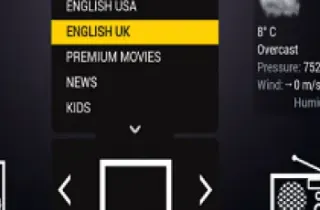
Stalker IPTV uses a portal-based connection commonly associated with compatible MAG boxes and IPTV applications. Setup may involve registering a device's MAC address and entering a portal URL.

This option may suit customers using IPTV boxes or applications that support Stalker Portal connections.

Xtream Codes IPTV

Xtream Codes IPTV typically connects using a server URL, username, and password through a compatible IPTV player.

This connection method is commonly supported on Amazon Firestick, Android TV, Google TV, and other compatible devices. Players such as TiviMate and XCIPTV may support this login method.

M3U IPTV

M3U IPTV uses a playlist URL or file that a compatible media player can load to access the streams available through the selected service.

M3U support varies between IPTV applications and providers. Confirm that your selected subscription includes M3U access before purchasing.

What Is Multi-Connection IPTV?

Some IPTV subscriptions in Canada support multiple simultaneous connections, allowing customers to stream on more than one compatible device at the same time. The number of connections depends on the selected package, so always check the subscription details before ordering.

Which IPTV Connection Is Best for You?

The right connection method depends on your streaming device, preferred IPTV application, and the features supported by your service. Before choosing an IPTV provider in Canada, compare device compatibility, connection methods, subscription duration, and the number of simultaneous connections.

SharkTV.ca offers different IPTV packages for Canadian customers, including portal-based, username-and-password, and supported playlist connection options. Review the available subscriptions to find a package suited to your streaming setup.


Invite Your Friend

Captcha

IPTV Canada Guides, News & Streaming Tips

Explore SharkTV's latest IPTV Canada guides, streaming tutorials, and helpful articles. Learn how to choose an IPTV subscription in Canada, set up compatible streaming devices, compare IPTV connection methods, and find the right IPTV service for your needs.

IPTV Canada – Frequently Asked Questions (FAQ)

IPTV Canada is changing the way Canadians watch television, offering a modern and flexible alternative to traditional cable and satellite TV. Instead of relying on cable connections, IPTV delivers live television channels, sports, movies, and TV shows directly through an internet connection.

With a Canadian IPTV subscription, viewers can enjoy Canadian, American, UK, and international TV channels, live sports, news, entertainment, and extensive Video on Demand (VOD) libraries from the comfort of their homes or on compatible streaming devices.

SharkTV Canada offers IPTV subscription packages featuring up to 39,000+ live TV channels and 25,000+ VOD movies, along with thousands of TV shows and series. Available content varies by IPTV package and server.

Whether you're using an Amazon Firestick, Samsung or LG Smart TV, Android TV box, or smartphone, IPTV gives you convenient access to television entertainment without a traditional cable TV subscription.

SharkTV Canada is a leading IPTV subscription provider in Canada. Canadians enjoy Shark IPTV Canada because it offers local television channels from across Canada, the USA, the UK, Europe, Asia, and the Middle East Stations.
Canadian IPTV SharkTV is a legit IPTV subscription service as it's already accepted by thousands of Canadians all over Canada.

IPTV subscriptions in Canada at SharkTV Canadian IPTV Provider start from $15 CAD, with flexible 1-month, 3-month, 6-month and 12-month plans. Pricing depends on the IPTV server, subscription duration, connection type and number of devices.

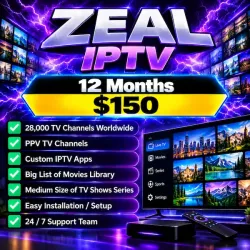
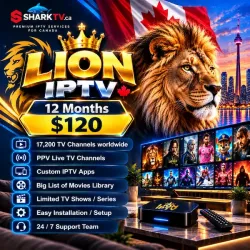
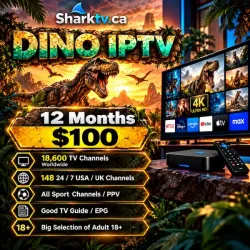
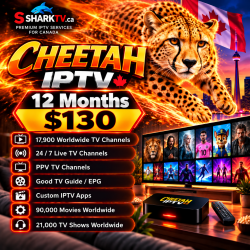
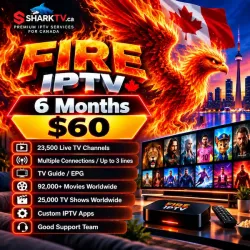
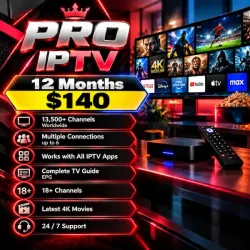
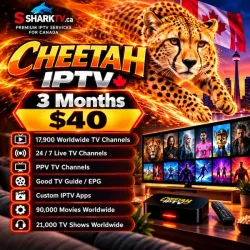
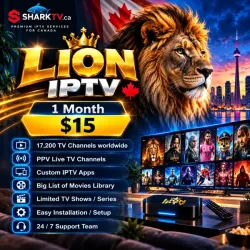
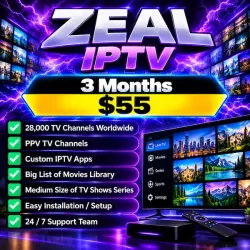
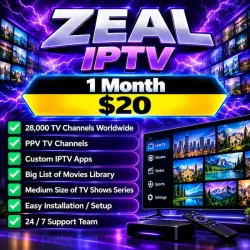
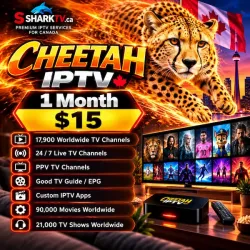
Our affordable Xtream Codes and M3U IPTV packages include Fire IPTV, Lion IPTV, Cheetah IPTV, Dino IPTV, CC IPTV, Pro IPTV, Zeal IPTV, Best Streams IPTV and District7 IPTV. Published 1-month plans generally range from $15 to $20 CAD.

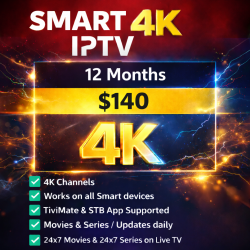
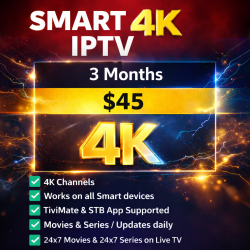
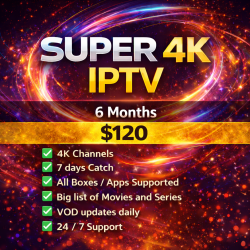
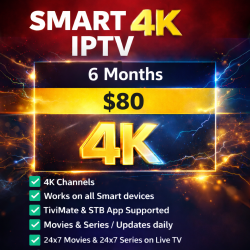
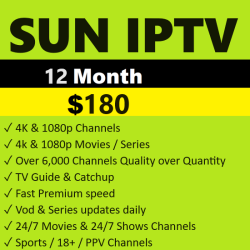
For customers using compatible IPTV boxes, our Stalker Portal IPTV packages include Smart 4K IPTV, Empire 4K IPTV, Alpha 4K IPTV, Gold IPTV PRO and Super 4K IPTV, with published 1-month prices ranging from $20 to $30 CAD. Annual options also include Spice IPTV and Sun IPTV.

Longer subscriptions can reduce the monthly-equivalent cost, with selected 12-month plans advertised from approximately $8.33 CAD per month, paid upfront for the full subscription term.

Explore our IPTV subscription packages to compare available servers, subscription prices, channel selections, supported devices, and subscription durations. Choose the IPTV plan that best fits your needs and budget.

SharkTV Canada offers IPTV subscription packages featuring up to 39,000+ live TV channels and 25,000+ VOD movies, along with a large selection of TV series from Canada, the USA, the UK, and around the world.

Enjoy Canadian and American channels, live sports, news, entertainment, kids' programming, international channels, and movies and TV shows across multiple genres. Selected packages also offer HD, Full HD, and 4K streaming, depending on content availability and device compatibility.

Channel counts, movie libraries, and TV series availability vary by IPTV package and server. Content libraries are updated regularly, and individual channels or titles may change over time.

SharkTV IPTV Canada accepts Interac e-Transfer, providing Canadian customers with a convenient and secure way to pay for their IPTV subscriptions in Canadian dollars (CAD).

Simply choose your preferred Canadian IPTV package and subscription duration, place your order, and follow the payment instructions provided during checkout. Once your payment is confirmed, our team will process your order and provide your IPTV activation details.

Looking to renew your IPTV subscription in Canada? SharkTV makes Canadian IPTV subscription renewals quick, simple, and convenient. Whether you're renewing a monthly IPTV plan or extending a 3-month, 6-month, or 12-month IPTV subscription, simply visit SharkTV.ca, select your existing IPTV package, and choose your preferred renewal duration.

On the product page, under “Select the best option that matches your order,” choose “Renew My Current IPTV Subscription (Keep My Existing IPTV Service).”

Complete your IPTV renewal order and follow the Interac e-Transfer payment instructions. Once your payment is confirmed, our team will process your IPTV subscription renewal, allowing you to keep your existing IPTV service without purchasing a new subscription.

We recommend renewing your IPTV subscription before its expiry date to help avoid service interruptions and continue enjoying your favourite Canadian, American, UK, and international TV channels, live sports, movies, and TV shows.

Yes! SharkTV Canada offers multi-connection IPTV subscriptions that allow you to watch live TV, sports, movies, and TV shows on multiple devices simultaneously using a single IPTV subscription.

Whether you want to watch IPTV on multiple TVs, Amazon Firesticks, Android TV boxes, Smart TVs, or other compatible streaming devices, we offer flexible multi-device IPTV packages in Canada:

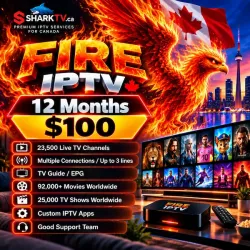
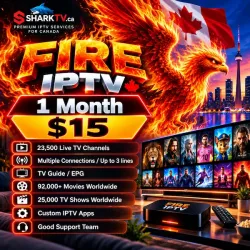
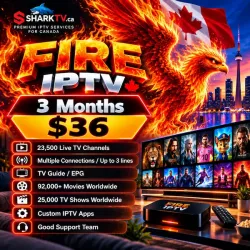
  • Fire IPTV: Up to 3 simultaneous connections.

  • CC IPTV: Up to 6 simultaneous connections.

  • Best Streams IPTV: Up to 6 simultaneous connections.

  • PRO IPTV: Up to 6 simultaneous connections.

With a multiple-connection IPTV subscription, family members can enjoy different channels or programs on separate devices at the same time, without purchasing individual IPTV subscriptions for each device.

Important: The number of simultaneous streams depends on your selected IPTV package and connection allowance. Not all SharkTV IPTV subscriptions include multiple connections.

When your SharkTV Canada IPTV subscription expires, access to your live TV channels, sports, movies, and TV shows will stop until your IPTV service is renewed.

To restore your IPTV service, simply visit SharkTV.ca, select your existing IPTV package, and choose your preferred renewal duration, including 1-month, 3-month, 6-month, or 12-month subscription options.

During checkout, select “Renew My Current IPTV Subscription (Keep My Existing IPTV Service)” and follow the Interac e-Transfer payment instructions.

Once your payment is confirmed and your IPTV renewal is processed, your service can be reactivated.

We recommend renewing your Canadian IPTV subscription before its expiration date to help avoid interruptions to your favourite TV channels and streaming entertainment.

After purchasing your Canadian IPTV subscription from SharkTV Canada, our team will review your order and verify your Interac e-Transfer payment.

Once your payment is confirmed, we will process your IPTV order and prepare your subscription activation details based on your selected IPTV package and connection type, such as Xtream Codes, M3U Playlist, or Stalker Portal (MAC Address).

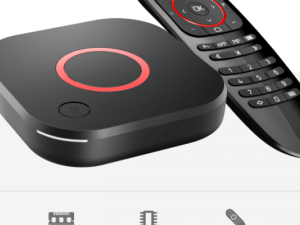
You will receive the necessary IPTV login credentials or activation instructions to set up your subscription on a compatible device, including Amazon Firestick, Android TV boxes, Smart TVs, MAG boxes, Formuler, BuzzTV, and other supported IPTV devices.

After completing your IPTV setup, you can start streaming your available Canadian, USA, UK, and international live TV channels, sports, movies, and TV shows.

Need help activating your IPTV subscription? Our customer support team can assist you with IPTV installation, device compatibility, and setup instructions.

Installing your SharkTV Canada IPTV subscription on Amazon Firestick or Fire TV is easy. Once your IPTV subscription is activated, you can set up a compatible IPTV player and enjoy Canadian, American, UK, and international live TV channels, sports, movies, and TV shows directly on your television.

To install IPTV on Amazon Firestick, connect your Firestick to the internet, install a compatible IPTV application such as IPTV Smarters, TiviMate, or XCIPTV, and enter the Xtream Codes or M3U Playlist login details provided with your IPTV subscription.

The installation process may vary depending on your IPTV package, streaming application, and connection type. Stalker Portal (MAC-based) IPTV subscriptions requires a different compatible player and activation method such as STB Emu.

For detailed instructions, visit our step-by-step guide on how to install IPTV on Amazon Firestick. Our Firestick IPTV installation tutorial helps you understand the setup process and get started with your IPTV subscription.

If you need assistance with Firestick IPTV setup, IPTV activation, or login configuration, SharkTV Canada customer support is available to help.

Setting up your SharkTV Canada IPTV subscription on a Samsung Smart TV, LG Smart TV, or Android Smart TV is simple with a compatible IPTV player. You can enjoy Canadian, American, UK, and international live TV channels, sports, movies, and TV shows directly on your Smart TV without needing a cable or satellite subscription.

To install Canadian IPTV subscription on a Smart TV, open your television's app store, search for a compatible IPTV application such as IPTV Smarters Pro, IBO Player, Hot Player, Bon or another supported IPTV player, and install it if available for your TV model.

Once installed, open the IPTV application and follow its setup instructions. Depending on your IPTV subscription and selected application, you may need to enter your Xtream Codes login credentials, M3U Playlist URL, or other supported activation details provided by SharkTV Canada.

Samsung and LG Smart TVs use different operating systems, so IPTV app availability and installation methods may vary. Android TV and Google TV devices may offer additional compatible IPTV applications through the Google Play Store.

For Stalker Portal (MAC-based) IPTV subscriptions, you may need to use STB Emu/Emulator IPTV player, Smart STB IPTV player or Tivimate IPTV player.

The internet speed required for IPTV depends on the streaming quality, the number of devices using your connection, and the stability of your internet service. A fast connection is helpful, but connection stability is just as important as download speed for smooth IPTV streaming.

As a general guideline, we recommend:

  • SD IPTV: 20 Mbps or higher
  • HD IPTV: 30-50 Mbps or higher
  • Full HD IPTV: 60-80 Mbps or higher
  • 4K IPTV: 100-150 Mbps or higher

For households where several devices are connected to the internet at the same time, a faster connection is recommended. Online gaming, downloads, video calls, and streaming on other devices can reduce the bandwidth available for IPTV.

For the best IPTV performance, use a wired Ethernet connection whenever possible. If you are using Wi-Fi, make sure your streaming device has a strong signal and is not too far from the router.

If your IPTV is buffering even though your internet speed is fast, the problem may not necessarily be your download speed. Wi-Fi interference, your router, the IPTV app, device performance, network congestion, or temporary server issues can also affect streaming quality.

No. In most cases, you do not need a VPN to use Shark IPTV Canada. SharkTV IPTV Canada can normally work directly through your regular home internet connection as long as your internet provider allows the connection and your IPTV service is working properly.

A VPN (Virtual Private Network) changes how your internet traffic is routed and can provide additional privacy while you're online. Some IPTV users choose to use a VPN, but it is not normally required simply to watch IPTV.

In some situations, a VPN may help if an internet provider is interfering with or restricting certain streaming connections. However, a VPN can also reduce your internet speed or cause IPTV buffering if the VPN server is slow, overloaded, or located far away.

If your IPTV is working properly without a VPN, there is usually no reason to add one just for streaming. If you're experiencing connection problems, first restart your modem/router and IPTV device, check your internet connection, and confirm that your IPTV service is active before assuming that a VPN is necessary.

If you decide to use a VPN with your SharkTV Canadian IPTV subscription, choose a reputable service with fast servers and select a nearby server location for better streaming performance.

SharkTV IPTV Canada services are compatible with a wide range of popular streaming devices. The exact setup method depends on whether your subscription uses Xtream Codes, M3U, or Stalker Portal (MAC address).

Compatible devices include:

  • Smart TVs – Samsung, LG, Android TV, Google TV, and other compatible models
  • Amazon Firestick & Fire TV
  • Android TV Boxes
  • BuzzTV IPTV Boxes
  • Formuler Devices
  • MAG Boxes
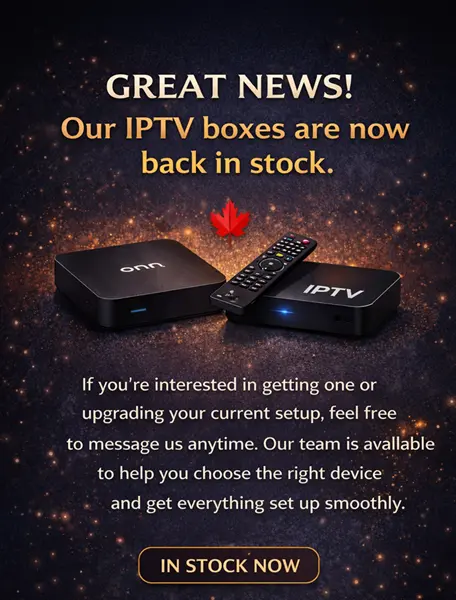
  • Dreamlink & other compatible IPTV boxes
  • Apple TV
  • Android Phones & Tablets
  • iPhone & iPad
  • Windows PCs & Mac Computers
  • Nvidia Shield
  • Chromecast & Google TV Devices

You can use compatible IPTV players such as TiviMate, IPTV Smarters, XCIPTV, STB Emulator, IBO Player, Smart STB, and other applications depending on your device and subscription type.

If you're unsure which IPTV service or connection type is compatible with your device, contact SharkTV before ordering and we can help you choose the appropriate setup.

SharkTV Canadian IPTV subscription login details are normally delivered shortly after your order and payment have been received and confirmed. Most SharkTV IPTV Canada orders are processed quickly, but activation time can vary depending on the IPTV service selected and order volume.

Once your IPTV subscription has been activated, your account information will be sent to the email address provided with your order. Depending on your service, this may include your username, password, server or portal URL, M3U information, or other setup details.

If you ordered a Stalker Portal (MAC address) IPTV service, make sure you provide the correct MAC address during checkout. An incorrect or missing MAC address can delay activation.

If you have not received your IPTV login details, please check your Spam or Junk folder before contacting SharkTV support. You can also contact us through Live Chat or Telegram for assistance with your order. You can also login to your account on sharktv.ca and check under your Order History to see if your order is completed or pending, and if it's pending that means we have not got to it yet.

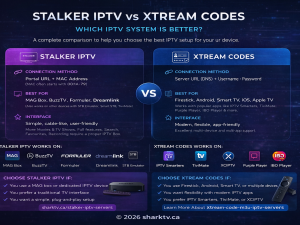
Xtream Codes and Stalker IPTV are different methods used to connect your device or IPTV player to an IPTV service. The best option depends on your device, IPTV app, and preferred setup.

Xtream Codes IPTV normally uses a username, password, and server URL. It is one of the easiest connection methods and works with many popular IPTV players on Firestick, Android TV boxes, Smart TVs, smartphones, tablets, and other compatible devices.

Stalker IPTV works differently. It commonly uses a Portal URL and MAC address instead of a traditional username and password. Stalker Portal services are popular with dedicated IPTV devices such as MAG, BuzzTV, Formuler, Dreamlink, and compatible apps such as STB Emulator and TiviMate.

  • Xtream Codes: Username + Password + Server URL
  • Stalker Portal: Portal URL + MAC Address

There is no single connection method that is best for everyone. Xtream Codes and M3U provide excellent flexibility across many apps and devices, while Stalker Portal is often preferred by customers who want a more traditional IPTV box-style experience.

For a more detailed comparison, read our Stalker IPTV vs Xtream Codes guide to learn how the two systems work, their device compatibility, and which setup may be better for you.

IPTV buffering or freezing can happen for several reasons, and it does not always mean there is a problem with your IPTV service. Your internet connection, Wi-Fi signal, streaming device, IPTV app, router, internet provider, or temporary server traffic can all affect streaming performance.

Some of the most common causes of IPTV buffering and freezing include:

  • Slow or unstable internet connection
  • Weak Wi-Fi signal
  • Too many devices using the internet at the same time
  • Outdated or overloaded IPTV apps
  • Low storage or memory on the streaming device
  • Router or network connection problems
  • Internet provider restrictions or network congestion
  • Temporary IPTV server maintenance or heavy traffic

If your IPTV keeps freezing, start by restarting your modem/router and streaming device. You can also test your internet speed, clear the IPTV app cache, close unnecessary applications, and use a wired Ethernet connection instead of Wi-Fi whenever possible.

If only one channel is freezing while other channels work normally, the problem may be related to that particular stream rather than your internet connection or device.

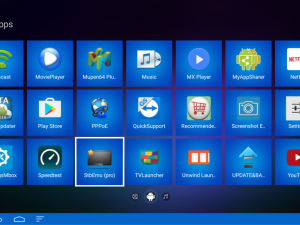
To install STB Emu IPTV on Amazon Firestick, Fire TV, or Android TV, first install the STB Emulator application on your compatible streaming device. STB Emu is designed for Stalker Portal and MAC-based IPTV subscriptions, allowing you to watch live TV channels, sports, movies, and TV shows through a compatible IPTV service.

After installing the app, open Settings → Profiles, create a new IPTV profile, and enter the Stalker Portal URL provided by SharkTV IPTV Canada. Next, open STB Configuration to check your MAC address and provide your STB Emu MAC address with your when placing your IPTV Canada subscription order at Shark TV.

Once your IPTV subscription is activated, restart STB Emulator to connect to your IPTV server.

For complete installation instructions with screenshots, follow our step-by-step STB Emu IPTV setup guide for Firestick and Android TV.